
COMING SOON · IPAD APP STORE
LIVE STREAMING APP FOR IPAD
Multi-camera live video from an iPad and a few iPhones.
Each iPhone becomes a wireless camera. On the iPad you see every angle at once, pick the next shot, add titles and logos, and stream to YouTube, Facebook or anywhere else while recording a copy. No computer, no extra hardware, no crew.
HOW IT WORKS
From a bag of phones to a live stream in three steps.
Everything happens on one iPad over your own Wi-Fi. No account to create, nothing goes through a cloud service.
01
CONNECT
Put iPhones where the cameras go
Open the free pMix Camera app on any iPhone and the iPad finds it over Wi-Fi. Already own proper cameras? Network (NDI) cameras and HDMI cameras through a USB-C capture card work too, along with video files and music.
02
PRODUCE
Pick the next shot, then make it live
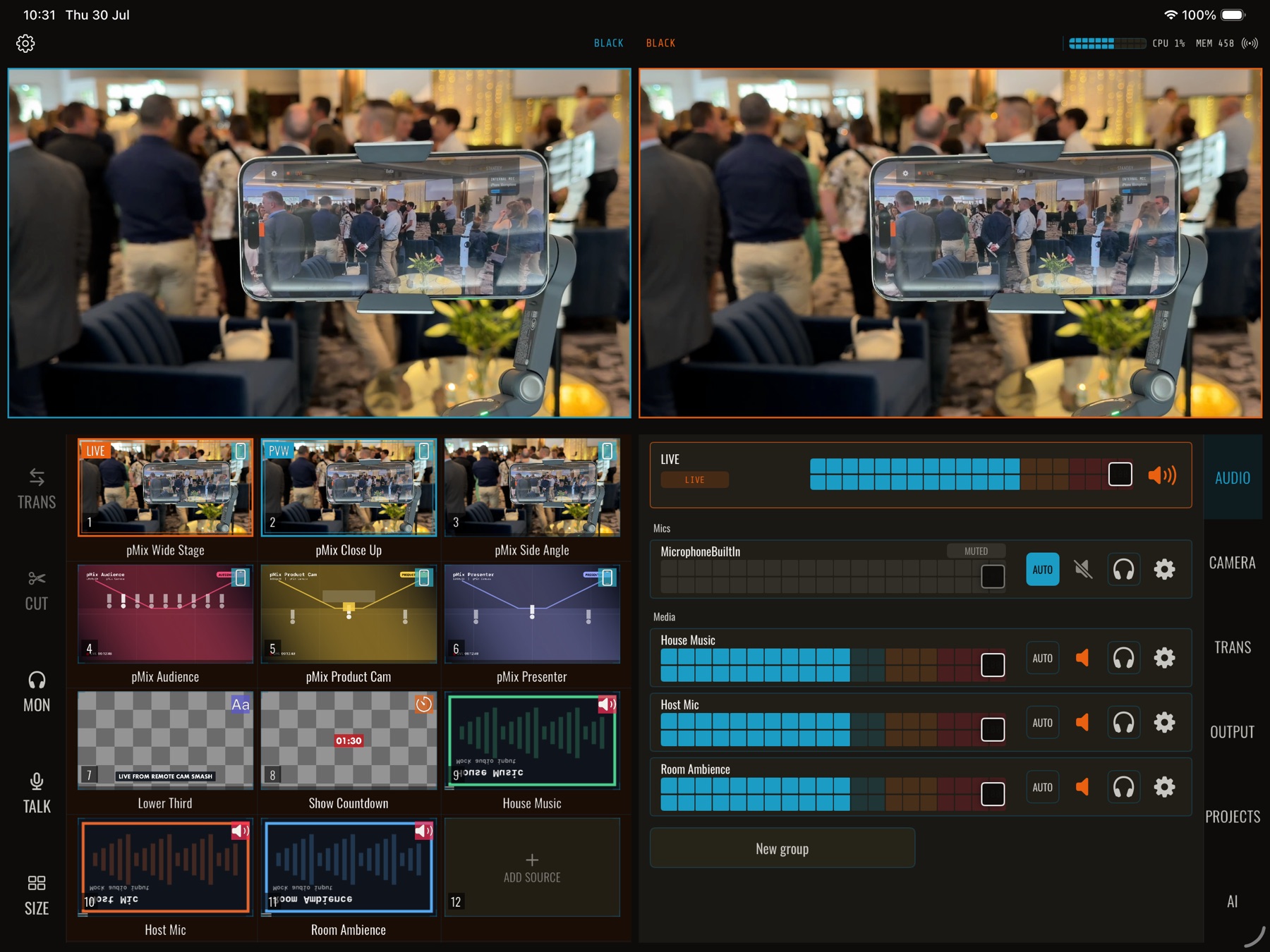
The left screen shows the shot you are lining up, the right screen shows what viewers see. One tap switches between them. Add name titles, logos and countdowns, and balance every microphone from the same screen.
03
GO LIVE
Stream and record from one tap
YouTube, Facebook, Twitch, Kick, TikTok or any other streaming service, with a recording saved on the iPad at the same time. Send the live picture to a projector or foyer TV over HDMI or AirPlay.
WHY IPHONES
The cameras you already own, controlled from your seat.
An iPhone on a stand is a better camera than most of what a small team can afford. pMix Studio treats it like one.
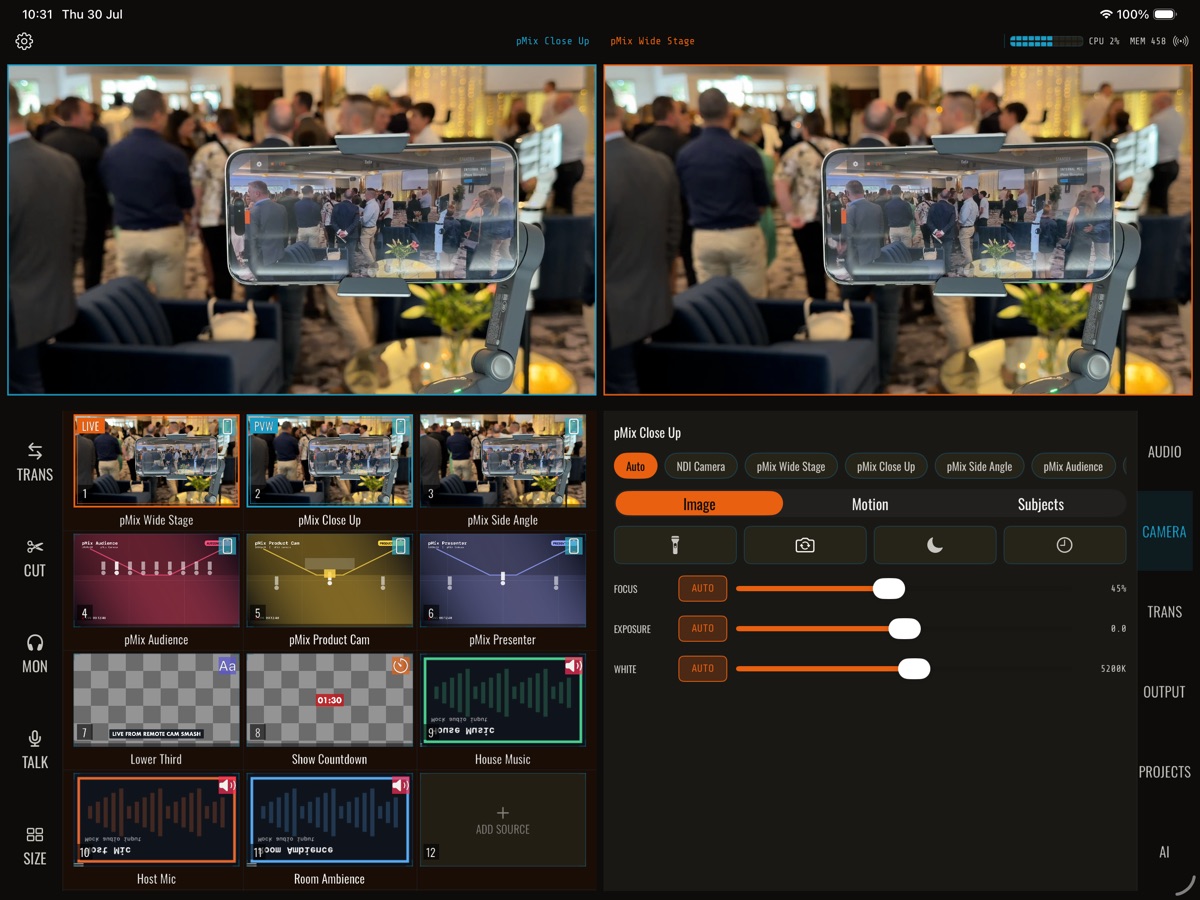
- Remote control every phone. Zoom, focus, brightness, colour balance and torch from the iPad, without walking over to the phone mid-stream.
- Let the camera follow the speaker. Put an iPhone on a DockKit gimbal and pMix Studio tracks the subject you tap.
- Low enough latency to switch on. Video arrives over Wi-Fi with typical delay under 150 ms, so the switch happens when you tap it.
- Audio comes with it. The phone's microphone, or a USB mic plugged into it, arrives on the iPad alongside the picture.
ONE PERSON, MORE HANDS
Say it, and the app does it.
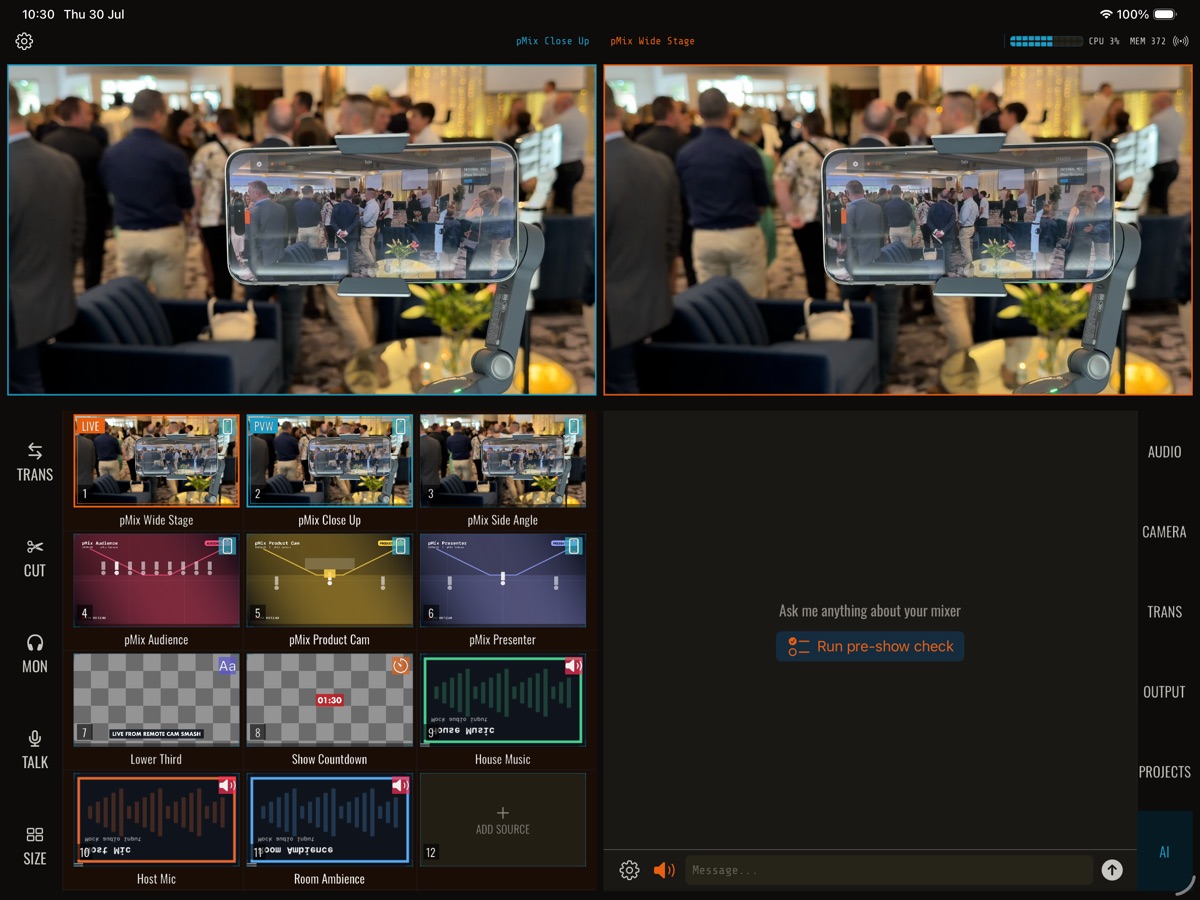
"Go to the wide shot." "Mute the host mic." "Show the name title." Voice control runs on the iPad, so one person can change shots while their hands are busy. Prefer buttons? Use a game controller or a Stream Deck.
SWITCHING FROM SOMETHING ELSE?
How pMix Studio compares.
Honest comparisons for people who already use one of these. Each page says when the other tool is still the better choice.
WHAT IS IN THE APP
Everything the stream needs, in one screen.
Camera switching, layouts, titles, audio, streaming, recording and camera control. The full detail is in the docs.
CAMERAS
Up to 64 source slots
iPhones over Wi-Fi, NDI cameras, HDMI through a USB-C capture card, SRT feeds, video and audio files.
SWITCHING
Camera switching
See every angle, line up the next shot, then cut, dissolve or wipe. Fade to black when it ends.
GRAPHICS
Titles and layouts
Name titles, logos, countdowns, picture-in-picture, side-by-side and four-way layouts, green screen and background removal.
AUDIO
Audio mixing
A fader for every source, groups, audio that follows the camera, headphone monitoring, and USB audio interfaces for room mics.
OUTPUT
Stream, record, project
RTMP, SRT and NDI output, MP4 or MOV recording on the iPad, and the live picture full-screen over HDMI or AirPlay.
CONTROL
PTZ, voice, OSC, gamepad
Move PTZ cameras and adjust iPhones from your seat, talk to the app, or wire in TouchOSC, Companion or a game controller.
PRICING
Less than a coffee a week. No hardware to buy.
One subscription unlocks the whole app. The pMix Camera app for iPhones is free, so adding a camera costs nothing.
MONTHLY
$9.99
USD per month
Everything, billed monthly. Good for a season or a one-off event.
ANNUAL
$99
USD per year
Everything, billed once a year. Two months free for teams that go live every week.
Prices shown in USD for the US App Store. Other storefronts display a local equivalent set in App Store Connect. Payment is collected by Apple; pMix Studio does not see your card details. Subscriptions auto-renew unless you turn off auto-renew at least 24 hours before the end of the current period.
FOR DEVELOPERS AND TINKERERS
Control pMix Studio from a script, or from an AI assistant.
pMix Studio has a local REST API and an MCP server. Automate the run-of-show, hook it into a control room, or point Claude at it and direct the production in plain language. Off by default, LAN only, never on the internet.
TESTFLIGHT BETA
Try it before it hits the App Store.
The beta is open. Tap the link on your iPad, install TestFlight if you do not have it, and pMix Studio installs from there. New builds arrive automatically.
You need an iPad with an M-series chip. iPhones join as cameras with the free pMix Camera app. Details on the beta page.
BUGS / QUESTIONS / SETUPS
Testing it? Tell us how it went.
Bug reports, questions and first-stream stories all go in the pMix Studio community. It is where the fixes get announced too.
Join the Community